
Debt Descent
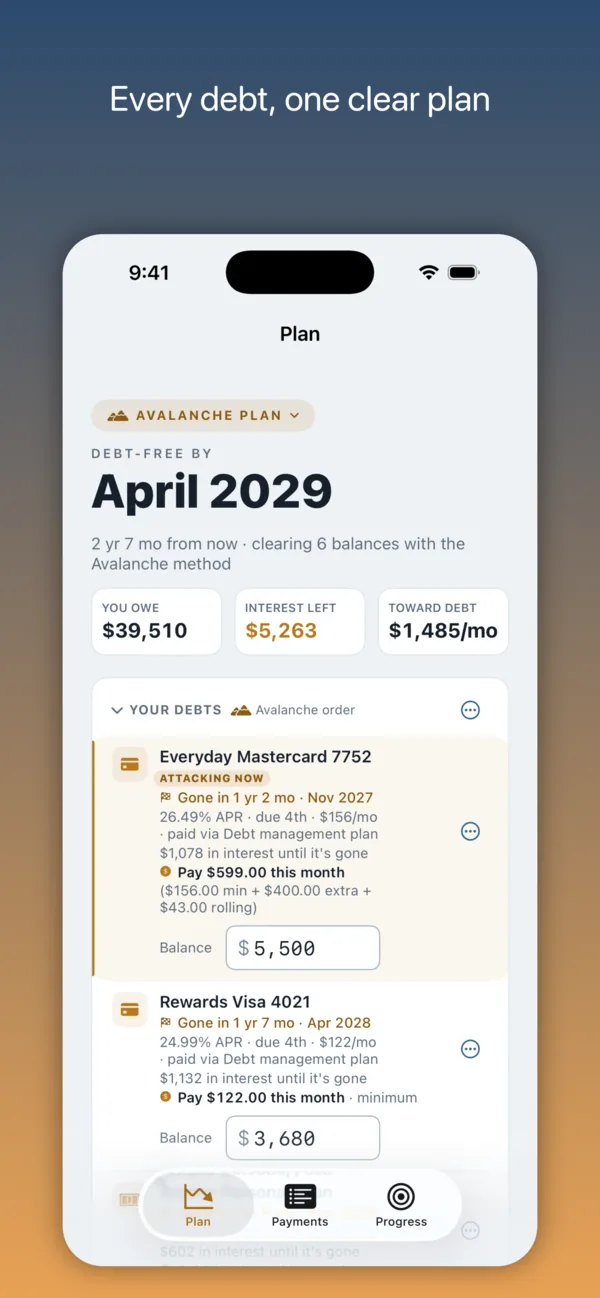
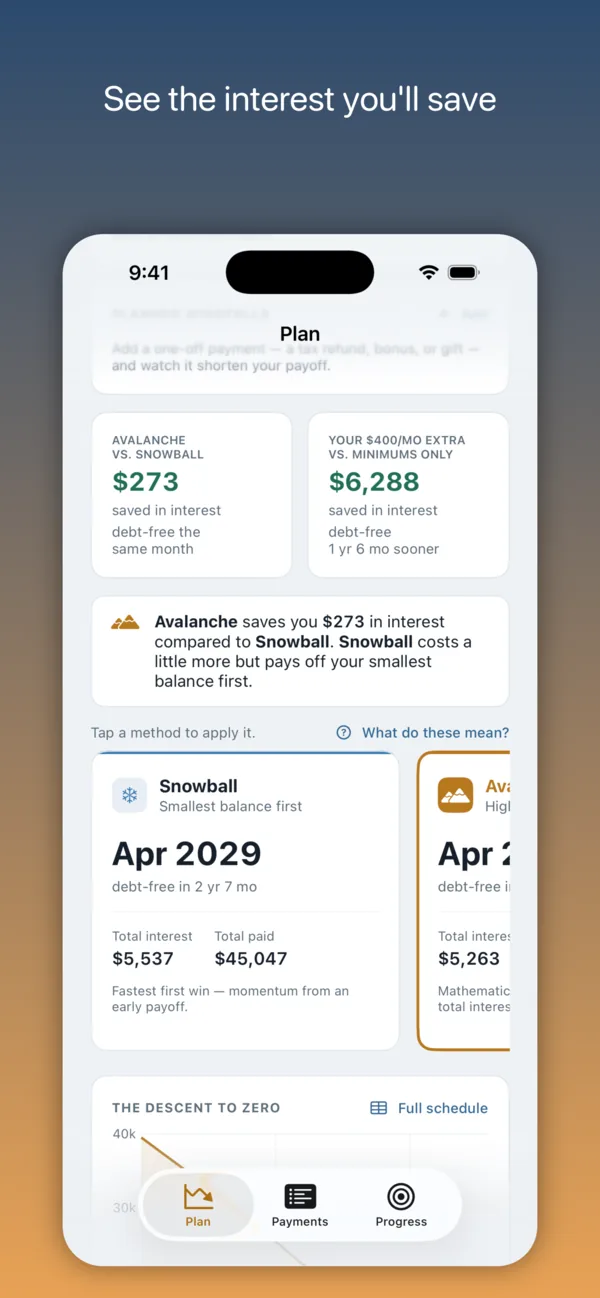
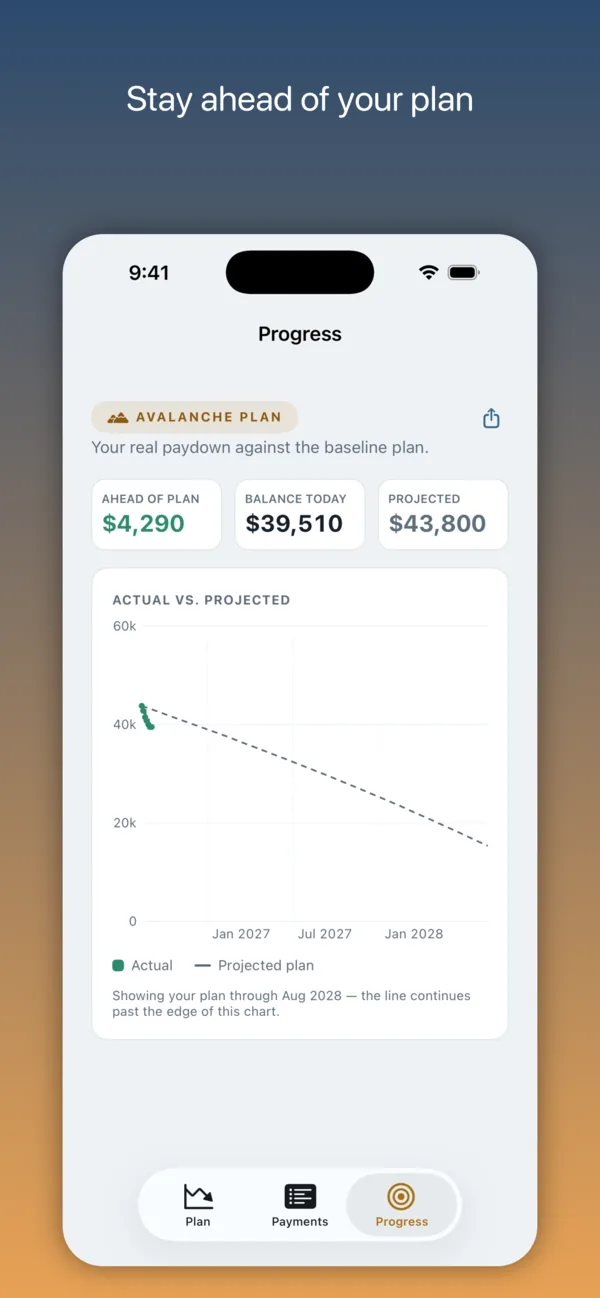
A native debt-payoff planner for iPhone, iPad, and Mac. Add your debts, compare Snowball and Avalanche side by side, and see exactly when you’ll be debt-free. Your data stays on your devices and in your own iCloud. It’s free, and Pro is a one-time $14.99 purchase with no subscription. There’s no account and no bank linking.
Rated 5 stars on the App Store
For iPhone with iOS 26 or later, iPad with iPadOS 26 or later, and Mac with macOS 26 or later.
Questions before you download
- Is Debt Descent a subscription?
- No. Pro is $14.99, paid once. It’s Family Sharing enabled too, so your family gets it without buying it again. There’s no account to create.
- Does it connect to my bank?
- No. Balances come from your statements instead. Import the PDF, scan a paper one with the camera, or type the balance in when the statement posts. The app reads the balance, APR, minimum, and due date on your device, and nothing is uploaded.
- Does it run on a Mac?
- Yes. It’s a native app on iPhone (iPhone Duo included), iPad, and Mac, and one purchase covers all three. Your data syncs between them through your own iCloud. On the Mac there’s also a desktop widget and a menu bar item that shows your debt-free month.
- Which payoff methods does it have?
- Snowball and Avalanche are free, shown side by side with the payoff date and total interest for each. Pro adds five more, one of them a custom order you set yourself.
- Can it track a debt management plan?
- Yes, and payment groups don’t need Pro. A payment group is one monthly payment that covers several debts, with a Plan fee field for what the plan keeps. Log the payment once and the app splits it across the debts, so the Payments tab matches your bank statement while the fee stays out of your payoff math.
- What if I can’t make a payment one month?
- You can skip that month’s payment, or defer it to the next month, from the debt’s menu, and it’s free. Before anything changes, the app tells you what it costs in interest and whether your debt-free date moves. The app doesn’t tell your lender anything, so please call them first.
- My student loan is in deferment. Can I add it?
- Yes. Turn on “In deferment — nothing due yet” on the loan and set the date the deferment ends. Until then it sits in your list with nothing due, and on that date it joins the plan on its own, with its payment added to your monthly total or taken out of your extra, whichever you choose. For a subsidized loan, turn on “No interest during deferment (subsidized)” as well, and the balance holds still until then.
- Is my data private?
- Yes. I can’t see your debts. The App Store privacy label is “Data Not Collected,” and there are no servers or analytics of my own. You can also lock the app with Face ID and blur every amount for a screen share.
- Can I export my data?
- Yes. Your whole plan exports as a JSON backup, and your payment history as a CSV, both free. A backup is also saved to your own iCloud Drive once a week. With Pro, your plan and your payment history also export as PDFs, and a plan PDF carries the plan inside it, so it imports back into Debt Descent.
- Does it work with Siri, widgets, and Spotlight?
- Yes, since version 1.16. Ask Siri “When am I debt-free in Debt Descent” or “Log a payment in Debt Descent,” and the same actions are in Shortcuts. There are widgets for the Home Screen, the Lock Screen, and the Mac desktop (they can count down in days instead of months), the medium one logs your next payment in one tap, and your debts show up in Spotlight with their balances.
- Is there an Android or web version?
- No. It’s iPhone, iPad, and Mac only. The calculators on this site run in any browser.
Questions that come up after you install it are on the support page.
Free tools
Calculators that run in your browser. No sign-up, and nothing you type is saved or sent.
- Debt Snowball & Avalanche Calculator: your debt-free date and total interest, both methods side by side.
- Deferred Interest Calculator: what a “no interest if paid in full” promo bills if you miss the deadline.
- Balance Transfer Calculator: whether the transfer fee beats the interest you’d pay by staying put.
- Debt Management Plan Calculator: a DMP’s reduced rate and fees against paying on your own.
Compared with other planners
For coaches and counselors
If you work with clients, the page for coaches covers what the app does for a client, how it tracks a debt management plan, and how to get Pro free.